

API Keys
If you haven't already, sign up and go through our official onboarding for a full suite of tutorials, including getting API keys and starting your AI research agent. Keep reading for a more in-depth explanation about our API and MCP.
Create an API Key
- Sign in and open Account Settings.
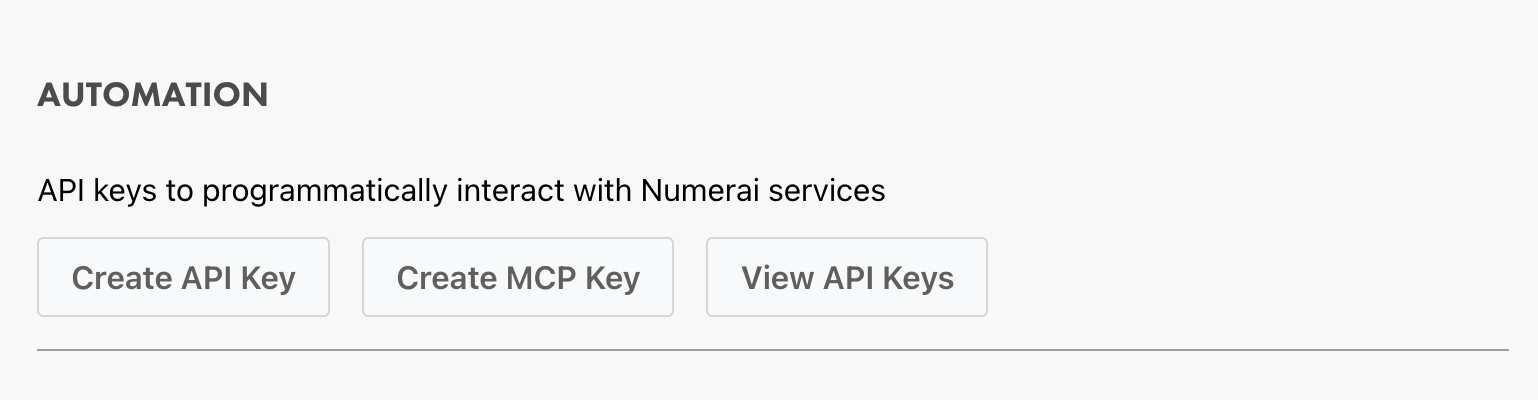
- Scroll to Automation and select Create API Key.
- Give the key a name that identifies the integration using it.
- Select only the scopes the integration needs.
- Confirm with your password and MFA code, if enabled.
- Copy the Public ID and Secret Key. The Secret Key is shown only once.
Use a separate key for each integration. If a key is lost or exposed, open View API Keys, revoke it, and create a replacement.
Scopes
| Scope | Allows |
|---|---|
| Update account and model profile information | Editing account and model profiles |
| Upload submissions and pickled models | Uploading predictions and models, and configuring submission webhooks |
| Download previous submissions and pickled models | Downloading your prior submissions and uploaded models |
| Make stakes | Managing legacy tournament stakes |
| Manage web3 staking | Managing atomic blockchain stakes |
| View historical submission info | Reading private submission history |
| View user info | Reading private account details, balances, withdrawals, and model IDs |
| Ability to delete your models and your account | Deleting models or the account |
WARNING
Follow the principle of least privilege. In particular, do not grant staking or deletion scopes to submission automation.
Account Deletion
Before deleting your account, remove all model stakes, withdraw your NMR, and save your tax documents. You will not receive bounties for any open bug or security reports. The website requires you to confirm each item before entering your password and MFA code, if enabled.
The deleteAccount GraphQL mutation requires password and attestations ([String!]!), plus code when MFA is enabled. Send a nonempty list of the exact confirmation strings the user accepted. Empty lists, blank entries, invalid UTF-8, and null characters are rejected. The API stores the submitted strings unchanged with the deletion request time; it does not require a fixed checklist or wording. Existing password, MFA, and outstanding-stake checks still apply.
Example attestations value for the current website checklist:
[
  "I have unstaked all of my models",
  "I have withdrawn all of my NMR",
  "I have downloaded all of my tax documents",
  "I will not receive bounties for any open bug/security reports"
]
Storing Credentials
Do not put credentials directly in source code or commit them to a repository. For deployed workloads, use the secret manager provided by your hosting or CI platform. If you use a local .env file, add it to .gitignore and restrict its file permissions.
NumerAPI reads the NUMERAI_PUBLIC_ID and NUMERAI_SECRET_KEY environment variables automatically.
export NUMERAI_PUBLIC_ID="YOUR_PUBLIC_ID"
export NUMERAI_SECRET_KEY="YOUR_SECRET_KEY"$env:NUMERAI_PUBLIC_ID = "YOUR_PUBLIC_ID"
$env:NUMERAI_SECRET_KEY = "YOUR_SECRET_KEY"Numerai MCP
Numerai MCP connects supported AI agents to Numerai tools for tournament information and research assistance. It uses the stateless 2026-07-28 MCP protocol over Streamable HTTP.
Supported AI Agents
- Codex CLI (recommended)
- Cursor
- Claude Code
Authenticate
Numerai MCP uses a Numerai API key. From the Automation section of Account Settings, select Create MCP Key to create a key with the scopes needed for full MCP functionality:
- Upload submissions and pickled models
- Download previous submissions and pickled models
- View historical submission info
- View user info, such as balances and withdrawal history
You can also use an existing API key if it has these scopes.
Set NUMERAI_MCP_AUTH to the key's Public ID and Secret Key in the following format:
export NUMERAI_MCP_AUTH="Token PUBLIC_ID\$SECRET_KEY"WARNING
The $ between the Public ID and Secret Key must be escaped in many shells, as shown above.
Install
Codex CLI
The one-line installer guides you through creating an MCP key in the Numerai web app and configuring the environment variable. When prompted, enter the verification code printed by the installer in the Numerai authorization page:
curl -sL https://numer.ai/install-mcp.sh | bashTo install it manually, add the following configuration to ~/.codex/config.toml:
[mcp_servers.numerai]
url = "https://api-tournament.numer.ai/mcp"

[mcp_servers.numerai.env_http_headers]
Authorization = "NUMERAI_MCP_AUTH"
Cursor
Add the following configuration to the mcpServers object in ~/.cursor/mcp.json:
{
  "mcpServers": {
    "numerai": {
      "url": "https://api-tournament.numer.ai/mcp",
      "headers": {
        "Authorization": "${env:NUMERAI_MCP_AUTH}"
      }
    }
  }
}
Claude Code
Export NUMERAI_MCP_AUTH before running this command so the authentication header is included:
claude mcp add --transport http numerai https://api-tournament.numer.ai/mcp --header "Authorization: ${NUMERAI_MCP_AUTH}"Use MCP
After installation, your agent should connect to Numerai MCP automatically on startup. You can ask it in natural language to use tools in two main categories:
- Tournament information, such as leaderboards, model performance, and the current round
- Research assistance, such as creating and uploading models or checking submissions
Numerai MCP also provides a generic GraphQL tool that lets an agent inspect the schema, build GraphQL requests, and execute them.
NumerAPI
NumerAPI is the official Python client and lightweight command-line interface for the Numerai API. Install or upgrade it with:
python -m pip install --upgrade numerapiOnce the environment variables above are set, NumerAPI loads them automatically:
from numerapi import NumerAPI

napi = NumerAPI()
models = napi.get_models()
print(models)
Use SignalsAPI for Numerai Signals and CryptoAPI for Numerai Crypto:
from numerapi import CryptoAPI, SignalsAPI

signals_api = SignalsAPI()
crypto_api = CryptoAPI()
The package also installs a numerapi command. For example:
numerapi models
numerapi current-round
numerapi --help
See the NumerAPI reference for all Python methods and commands.
GraphQL API
Applications in other languages can call the GraphQL API directly. Send the two key parts in the Authorization header, separated by a literal $:
Authorization: Token PUBLIC_ID$SECRET_KEYFor example, after setting the environment variables above:
NUMERAI_API_TOKEN="${NUMERAI_PUBLIC_ID}\$${NUMERAI_SECRET_KEY}"

curl https://api-tournament.numer.ai/ \
  --header "Authorization: Token ${NUMERAI_API_TOKEN}" \
  --header "Content-Type: application/json" \
  --data '{"query":"query { account { username } }"}'
The selected scopes must authorize every protected field or mutation in the request.
The Classic model leaderboard query, v2Leaderboard, sorts by MMC60 descending when orderBy is omitted or null. Set orderBy: "mmcRep" to sort by MMC20. The rank field follows the selected sort; storedRank and rank-change fields use the canonical MMC60 ranking regardless of the selected sort.
Round Score Configuration
The public Round.roundScoreConfigs field returns the score configurations attached to that round. It includes both selected payout snapshots and non-payout snapshots. isPayout is derived from the immutable per-round multiplier snapshot: it is true when at least one of minMultiplier, maxMultiplier, or defaultMultiplier is nonzero. Clients can therefore use isPayout directly when displaying the payout settings for that round, including historical rounds whose reusable score definition later changed. No API key is required for this field.
query CurrentRoundPayoutConfig {
  rounds(tournament: 8, status: OPEN, limit: 1) {
    number
    roundScoreConfigs {
      name
      version
      displayName
      totalScoreDays
      returnsLagDays
      dataDelayDays
      scoringStart
      scoringEnd
      isPayout
      minMultiplier
      maxMultiplier
      defaultMultiplier
    }
  }
}| Field | Meaning |
|---|---|
id / scoreConfigId | IDs of the per-round record and reusable score definition |
name / version | Stable score identity and definition version |
displayName | Score label used in API and UI output |
roundNumberStart / roundNumberEnd | Inclusive round range for the score definition; the end may be null |
totalScoreDays | Number of scoring days used for the final score |
returnsLagDays / dataDelayDays | Return lag and source-data delay for the score |
universe | Data universe, when the score is universe-specific |
isCanonScore | Whether this is a canonical comparison score |
isPayout | Whether this per-round snapshot was selected for payouts (at least one multiplier is nonzero) |
scoringStart / scoringEnd | Scoring window for this round |
minMultiplier / maxMultiplier / defaultMultiplier | Per-round multiplier range and default |
clipThreshold / stakeThreshold | Per-round payout clipping and stake thresholds |
payoutFactor | Optional per-score payout factor |
Internal target specifications are intentionally not exposed.
Every payout configuration keeps its own id, scoreConfigId, name, version, and displayName. Clients must preserve that identity: Alpha is not CORR, MPC is not MMC, and an unfamiliar payout score must not be substituted for a familiar score merely because their multipliers are similar. Aggregates combine selected configurations by iterating over them and applying each configuration's multiplier.
RoundDetails.payoutMultipliers is derived by iterating over the same selected configurations. It returns every selected display name and default multiplier without corr/MMC family grouping.
Profile and submission-history rows expose payoutMultipliers, an identity-preserving list containing the round-score-config ID, score-config ID, name, version, display name, and that weekly selection's multiplier. Sparse historical exceptions are resolved by the documented exact-ID compatibility view; Alpha, Corr, MPC, MMC, and unfamiliar scores remain distinct. Their legacy corr/MMC/TC scalar multiplier fields are deprecated and planned for removal in a future API update. They project the same canonical weekly values; new clients must use the exact payoutMultipliers list.
The current V2 payout mode is Model.v2Stake.takeProfit. The legacy Model.currentPayoutSelection, V3UserProfile.stakeInfo, and SignalsLeaderboard.payoutSelection fields are deprecated and planned for removal in a future API update. The first two now project takeProfit and exact current payout score configs from canonical storage; the unused leaderboard selection string is empty. New clients must not adopt these compatibility fields.
The following legacy Round fields remain deprecated: minCorrMultiplier, maxCorrMultiplier, defaultCorrMultiplier, minMmcMultiplier, maxMmcMultiplier, defaultMmcMultiplier, minTcMultiplier, maxTcMultiplier, and defaultTcMultiplier. They project genuine roundScoreConfigs only and return null when no matching configuration exists. For Signals, they still report Alpha or FNC under the corr fields and MPC under the mmc fields. Do not rely on these fields to identify which score a multiplier belongs to. New clients should filter roundScoreConfigs on isPayout and retain each selected configuration directly.
Troubleshooting
- The Secret Key is missing: it cannot be displayed again. Revoke the key and create a replacement.
- An operation is unauthorized: confirm both key parts are present and that the key has the required scope. Scopes cannot be added to an existing key; create a correctly scoped replacement.
- Numerai MCP cannot authenticate: confirm
NUMERAI_MCP_AUTHis exported in the environment that starts the agent and includes the literal$separator. - A key may have leaked: revoke it immediately, rotate the credentials wherever they are used, and review the integration's logs.